


Office Document Hardware: UK Business Guide 2026
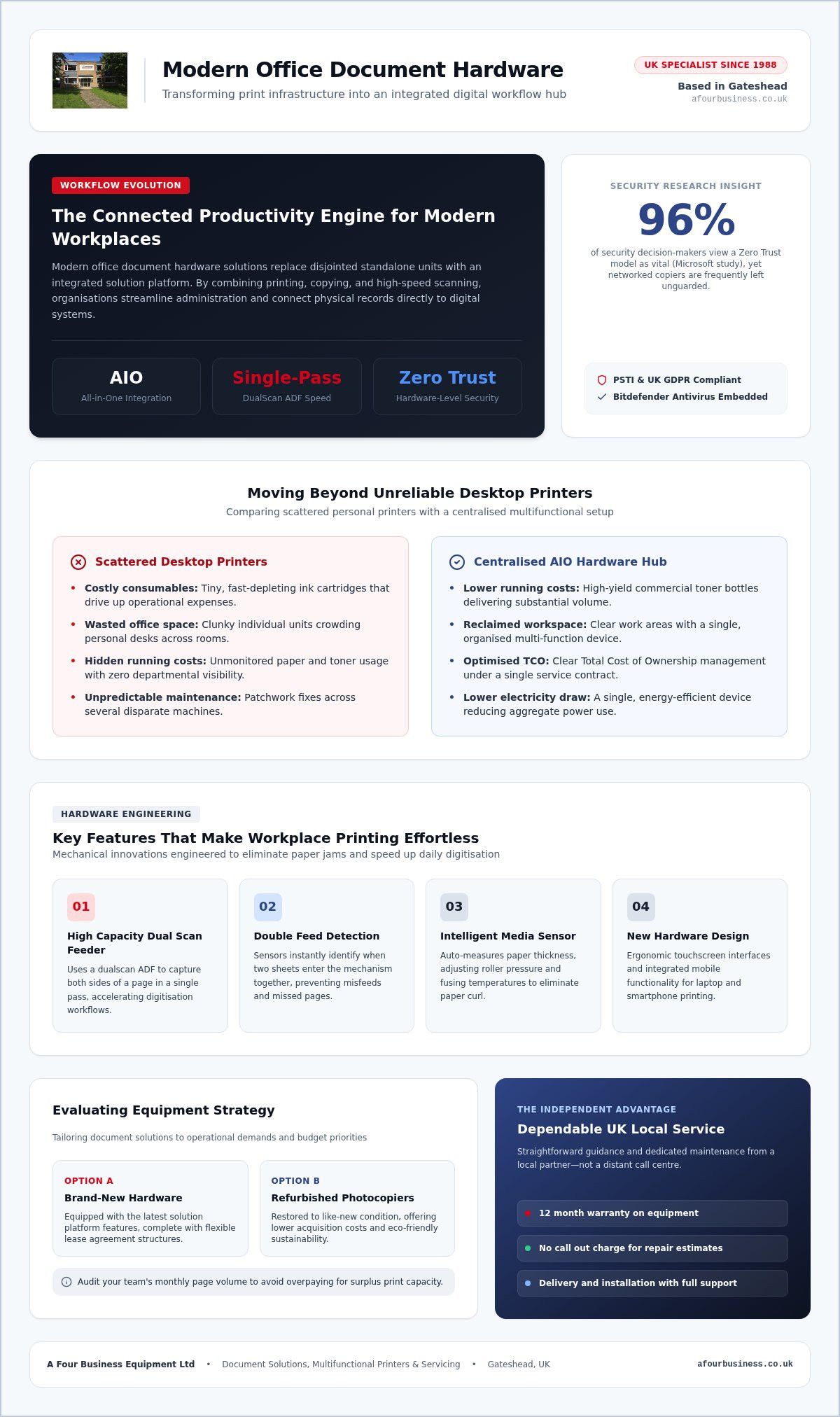
Your office printer shouldn't just be an awkward machine taking up space in the hallway; it ought to function as the connected productivity engine of your entire business. Choosing the right office document hardware solutions transforms how smoothly your team handles essential tasks every single day.
We've all wrestled with stubborn paper jams minutes before a critical meeting, waited on sluggish scanners, or winced at unpredictable toner bills. There's also the genuine concern that an unsecure, networked device might leave confidential paperwork vulnerable to data leaks. If your current setup feels like an administrative hurdle rather than a help, you aren't alone.
You'll discover how modern office document hardware streamlines daily paperwork, protects company data, and reduces running costs across your workplace. We explore the best multifunctional options for UK organisations, explain how to speed up scanning and printing workflows, and show you what dependable operation backed by friendly, personal support truly looks like.
Table of Contents
What Are Modern Office Document Hardware Solutions?
Modern office document hardware solutions are no longer just basic grey boxes churning out paper copies in the corner. Today, these systems act as integrated digital hubs that bring printing, copying, high-speed scanning, and document routing into a single workflow. Instead of treating paper and digital files as separate worlds, a modern setup connects them seamlessly. It lets your team convert physical records into secure digital formats and send them straight into shared network drives, cloud storage, or accounting packages with a tap on the touchscreen.
By bringing these tools together, businesses eliminate the everyday bottlenecks that slow staff down. There is no need to print an invoice, carry it across the room to scan on a separate flatbed, and then email it to yourself. Everything happens at one reliable terminal, keeping your administration moving smoothly.
Multifunctional Copiers and All-in-One Devices
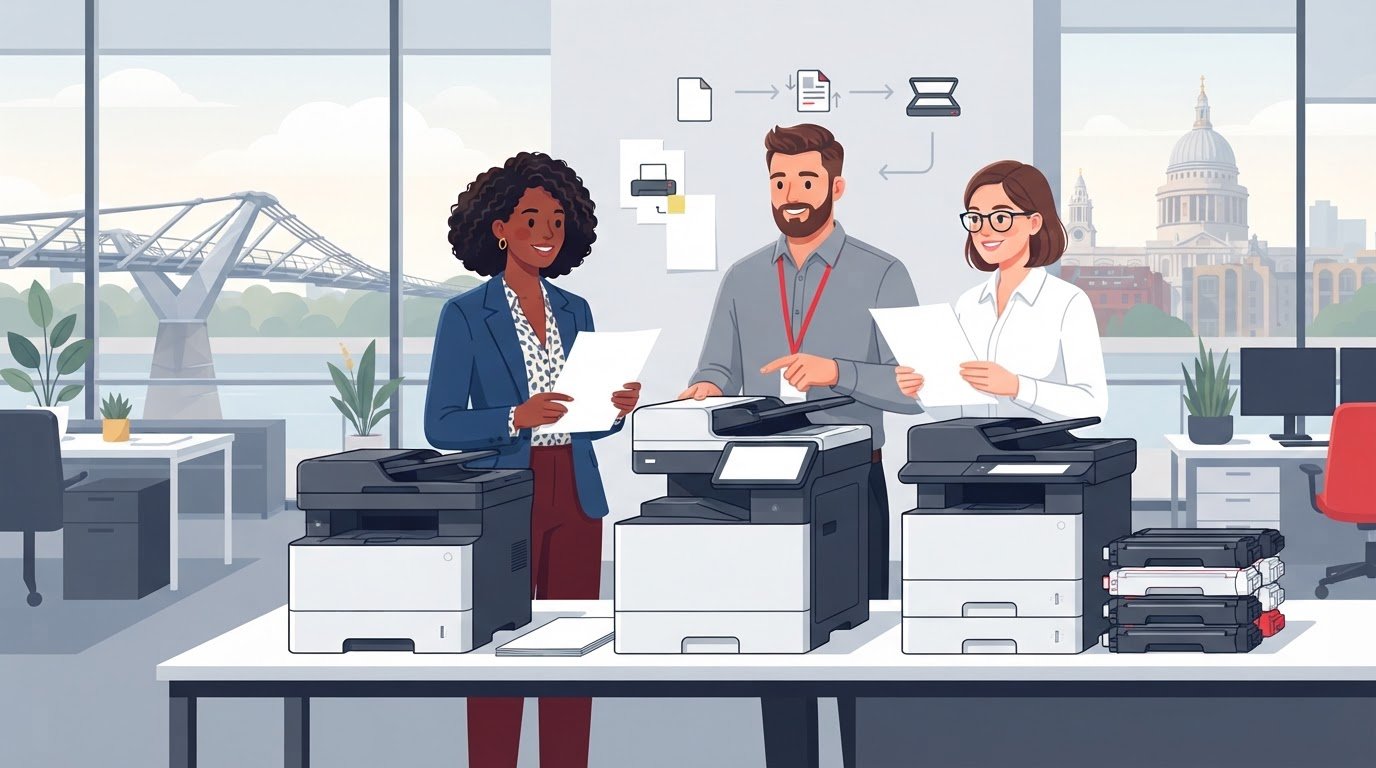
At the core of this setup is the multi-function device (MFD), often referred to simply as an AIO or multifunctional copier. Rather than buying three or four separate machines for different tasks, an AIO unifies printing, copying, colour scanning, and fax capabilities within one framework. These centralised units effortlessly balance heavy print runs from multiple departments, sorting and stapling booklets whilst managing incoming digital workflows without missing a beat.
Moving Beyond Unreliable Desktop Printers
Relying on scattered desktop printers across your offices might seem convenient at first glance, but it quickly turns into an administrative nightmare. Smaller desktop units run through costly ink cartridges at an alarming rate, produce inconsistent print quality, and break down without warning. They also hide real operational costs because nobody can track how much paper or toner each desk consumes.
Consolidating your office document hardware solutions into centrally managed equipment solves these headaches immediately. When you replace several disparate desktop units with a shared multifunctional system, your business gains several clear advantages:
Lower running costs: High-yield commercial toner bottles deliver far greater page yields than tiny desktop cartridges.
Reclaimed workspace: Clearing clunky printers off desks creates a cleaner, more organised office floor.
Predictable maintenance: Managing one dependable machine under a service agreement is far simpler than patching together fixes for half a dozen separate units.
Reduced energy consumption: Powering a single, energy-efficient device significantly reduces your total electricity draw.
Key Features That Make Workplace Printing Effortless
Getting paperwork right shouldn't feel like a chore. Modern office document hardware solutions take the frustration out of routine office jobs by handling fiddly adjustments in the background. With clear, intuitive touchscreen controls, your staff won't need specialised IT training just to collate a report, scan an invoice, or produce high-impact client handouts.
High-Speed Scanning and Media Handling
Paper handling has evolved well beyond the days of constant misfeeds. Today's commercial units feature a high capacity dual scan feeder that captures both sides of a page in a single pass, instantly speeding up your digital archive workflows. Built-in double feed detection senses when two sheets enter together, stopping errors before pages go missing. Additionally, an intelligent media sensor checks paper thickness automatically, adjusting internal roller pressure and fusing temperatures so misfeeds and paper curl become problems of the past.
Network Security and Mobile Functionality
Because networked copiers hold internal storage drives, treating them as secure network endpoints is essential for compliance with UK GDPR and the Product Security and Telecommunications Infrastructure (PSTI) Act. In fact, a 2026 Microsoft study highlighted that 96% of security decision-makers view a Zero Trust model as vital, yet networked office copiers are frequently left unguarded.
Leading systems tackle these vulnerabilities directly with embedded Bitdefender Antivirus to stop malicious threats before they reach your wider network. User authentication and PIN release hold confidential print jobs in a secure queue, releasing pages only when the authorised person stands right at the machine. Meanwhile, integrated mobile functionality lets hybrid workers send print files securely from laptops and smartphones. If you're currently reviewing how to choose the right document setup, prioritising these security protections protects both your clients and your team.
If you want to see how these automated safeguards can protect your daily paperwork, our team can help you review reliable photocopier service and hardware options tailored to your office layout.
New vs Refurbished Office Document Hardware: Evaluating Your Options
Upgrading your document setup does not mean you have to buy brand-new machines straight off the factory line. For many UK organisations, balancing capital outlay against daily performance means weighing factory-fresh models against professionally restored units. Both choices offer dependable office document hardware solutions, provided they match your actual print volumes and come with ongoing maintenance.
Looking at the overall picture helps you avoid unpleasant financial shocks later. By evaluating the TCO alongside day-to-day consumables, your organisation can achieve meaningful office printing cost reduction without compromising on daily output or finishing quality.
The Operational Benefits of New Multifunctional Copiers
Investing in a brand-new machine gives high-volume offices modern efficiency and extended lifespans. Systems featuring a new hardware design, such as the Ineo 227, deliver lower standby power consumption and rapid warm-up times. These units are built to manage demanding print queues day in and day out, making them ideal for larger teams that rely on non-stop throughput.
Why Quality Refurbished Photocopiers Make Practical Sense
Choosing refurbished photocopiers provides significant performance benefits while keeping initial commitments sensible. Across Britain, interest in restored business tech has grown rapidly, with YouGov research showing 61% of consumers open to buying refurbished hardware. It is an environmentally responsible route that reduces electronic waste and supports circular office initiatives.
Quality reconditioned equipment should never mean taking a gamble on worn parts. A dependable supplier strips every machine down, cleans all internal optical paths, replaces worn feed rollers, updates the firmware, and tests every finishing option before dispatch.
Evaluating Warranty Protection and Long-Term Value
Regardless of whether you choose a new or reconditioned model, reliable service protection is non-negotiable. Quality equipment should always arrive backed by a 12 month warranty, giving you genuine peace of mind from day one. Many businesses also prefer a flexible lease agreement to avoid large upfront payments and preserve operational cash flow.
Before committing, always examine the underlying support terms. Taking time to review service contracts for used photocopiers ensures your supplier covers emergency parts, regular toner deliveries, and mechanical servicing without hidden catches.
How to Choose the Right Document Setup for Your Office
Selecting the right equipment comes down to understanding how your team actually works. Rushing into a contract without auditing your daily paperwork often leads to paying for features you never touch or choosing an underpowered unit that grinds under pressure. Following a structured assessment ensures your office document hardware solutions fit your operational requirements perfectly.
Work through these five practical steps before making any hardware commitments:
Audit actual volumes: Calculate your monthly print numbers, ratio of colour to black-and-white, and routine scanning habits.
Map office traffic: Check doorways, power sockets, network ports, and walkways to ensure the equipment sits conveniently without causing congestion.
Identify finishing needs: Decide whether your output requires dedicated booklet folding, multi-position stapling, or high-capacity paper trays.
Confirm software integration: Ensure device drivers communicate smoothly with your cloud archives, shared server folders, and operating systems.
Review support agreements: Verify routine delivery schedules for toners, maintenance intervals, and engineer response arrangements.
Assessing Print Volume and Paper Formats
Check your recent paper invoices over the past three to six months to establish your genuine print output. Avoid guessing. It is equally important to determine whether your team handles architectural plans, large spreadsheets, or marketing materials requiring dedicated A3 paper feeds alongside standard A4 letters. If your organisation experiences seasonal surges, choose a machine rated comfortably above your average monthly output so peak periods never cause a mechanical breakdown.
Ensuring Full Ongoing Support and Maintenance
Procuring a dependable machine is only half the battle. Your business needs a full support package covering seamless delivery and installation directly to your premises, along with proactive toner replenishment so your staff never run out of ink during urgent deadlines.
Look for seasoned providers that offer local service with no call out charge for repair estimates, ensuring your budget stays predictable. If you are ready to match your team with the right hardware setup, request a free assessment from our friendly specialists today.
Partnering with an Independent UK Document Hardware Specialist
Finding the right equipment is only half the journey; the partner you choose determines how smoothly your office runs day to day. Large corporate vendors often focus on shifting specific inventory to meet quarterly manufacturer targets. In contrast, an independent specialist prioritises what your workplace actually requires, matching you with the right machinery based on genuine usage rather than sales quotas.
Regular technical servicing prevents premature wear on sensitive rollers and maintains crisp print clarity across every job. When you rely on dedicated engineers who understand the mechanics inside out, routine maintenance becomes effortless, keeping your office document hardware solutions operating reliably year after year.
The Value of Experienced Personal Service
A Four Business Equipment has supported UK workplaces with straightforward guidance since 1988. We pride ourselves on good old-fashioned service, making a point of knowing our customers by name rather than treating you like an account number on a screen. If an issue arises, you speak directly with seasoned professionals who know your office setup, avoiding the frustration of distant call centres or robotic automated phone menus.
Reliable Hardware Backed by Genuine Care
Every photocopier and multifunctional device undergoes extensive workshop inspection, cleaning, and testing before scheduled delivery and installation at your office. Professional engineers handle the full physical placement and network setup, taking time to walk your team through daily operations so staff feel confident from day one. Our technicians arrive fully prepared with the necessary consumables and components, minimising any disruption to your working day.
If your existing machine develops a fault, you deserve honest advice on whether repairing it is sensible or if replacing it offers better long-term value. As an independent provider, we always keep costs to your business to a minimum, offering no call out charge for repair estimates so you can make informed decisions without pressure. When you are ready for dependable support, contact A Four Business Equipment for straightforward hardware recommendations.
Transform Your Office Document Workflow
Finding the right office document hardware solutions should never involve guesswork or frustrating sales pressure. Consolidating your printing, copying, and fast scanning into a single, dependable system keeps paperwork moving, protects confidential client records, and curbs unnecessary overheads. Whether your workplace thrives with a high-capacity new machine or benefits from the smart economics of a quality refurbished copier, the real secret lies in pairing dependable machinery with genuine ongoing care.
Serving UK businesses with honest advice since 1988, we believe in dependable service that puts your daily practicalities first. Every machine we supply comes backed by a 12 month warranty, and we provide no call out charge for repair estimates so you always stay in complete control of your maintenance spend.
Speak with our friendly team at A Four Business Equipment today for straightforward guidance on office copiers and printers, and let's get your office running smoothly together.
Frequently Asked Questions
What is the difference between an office printer and a multifunctional copier?
A standard office printer only prints documents sent from a computer. A multifunctional copier combines high-resolution printing, rapid scanning, copying, and digital document distribution into one integrated hub. While basic desktop printers struggle with heavy departmental queues, multifunctional devices feature high-capacity paper trays, automated finishing tools, and larger toner yields designed to support multiple internal teams reliably every day.
Is it better for a small business to lease or buy document hardware?
Choosing between leasing and buying depends entirely on your capital strategy. Outright purchase avoids recurring commitments if you have surplus capital, but a lease agreement preserves your day-to-day cash flow by spreading equipment costs into predictable regular payments. Most growing businesses opt for leasing because it simplifies budgeting and makes it straightforward to bundle delivery, installation, and ongoing maintenance into a single plan.
Can refurbished photocopiers handle high-volume office workloads reliably?
Yes, provided they are professionally restored by experienced technicians. High-grade refurbished photocopiers undergo complete workshop overhauls, where optical components are thoroughly cleaned and worn feed rollers, belts, and bearings are replaced with genuine manufacturer parts. When supplied with a 12 month warranty and paired with routine photocopier service, reconditioned units effortlessly match the stamina and print clarity of brand-new machines.
How does a dualscan automatic document feeder help office productivity?
A dualscan ADF, or high capacity dual scan feeder, scans both sides of a sheet simultaneously in a single pass. Traditional feeders flip pages mechanically, which slows down the process and increases the chance of tears. By scanning both sides at once, your team can digitise multi-page contracts and large stacks of paperwork at twice the speed without paper jams or missing pages.
What ongoing maintenance do office document hardware solutions require?
Modern office document hardware solutions require periodic servicing to prevent paper misfeeds and maintain crisp print output. Routine care includes replacing high-wear internal rollers, cleaning optical sensors, updating device firmware, and replenishing toner supplies before they run dry. Partnering with a dedicated UK specialist who provides proactive inspections and charges no call out fee for repair estimates keeps your machinery operating smoothly without unexpected bills.
How do modern multifunctional copiers protect company network security?
Multifunctional copiers act as connected network devices, so modern hardware safeguards them against malicious threats. Systems incorporate encrypted internal storage, real-time threat scanning like Bitdefender Antivirus, and automatic security firmware patches to comply with UK data regulations. User PIN release features also ensure confidential payroll forms, contracts, and customer records never sit unattended in open output trays where unauthorised eyes could view them.
Will upgrading office copiers help reduce overall paper and toner consumption?
Upgrading to modern office document hardware solutions significantly curbs workplace waste. Newer systems feature default double-sided printing, secure print queues that cancel uncollected jobs automatically, and direct scan-to-cloud routing that removes the need for physical paperwork altogether. High-yield commercial toner systems also distribute toner far more efficiently than desktop units, keeping your overall consumable consumption and power use to an absolute minimum.


Comments